
Photos, STL, radiographic images and case records
ORTHOCORE DIGITAL PLATFORM
One Core.
All Connected.
We connect the flow of treatment,
not just the aligner.
From the clinic's diagnosis and final approval, to the lab's setup and production, to the patient's wear and progress records. A digital orthodontic platform designed so that different tasks continue within one case per patient.
Orthocore
One Core. All Connected.
ONE CASE · THREE CONNECTED EXPERIENCES
Three experiences,
connected in one case.
The clinic sees the patient's whole treatment flow, while the lab and the patient each carry on the tasks and information they need within the same case.
01 · CLINICOrthocore ClinicDiagnosis · Planning · Review · Approval
ONE
CASE
02 · LABLab CenterSetup · Revision · Production · Delivery
03 · PATIENTClealign CareWear check · Photos · Progress
One Case. All Connected.
Clinician-led operation
The final decision and approval of the treatment plan rest with the treating dentist. The software and app support record sharing and clinical work.
About the usage flowActual program screens and UI explanation images are mixed. Whether each screen's features are available can be confirmed in a demo.
THE CONNECTED COMPONENTS
Useful on their own,
clearer when connected.
01 · CLINIC OPERATING SYSTEM
Orthocore Clinic
Patient records, diagnostic notes, treatment plans and setup versions, approval history and treatment progress are all visible in one workflow.
- Photo, STL, X-ray and record management
- Setup Review version comparison and feedback
- Clinician approval and progress tracking
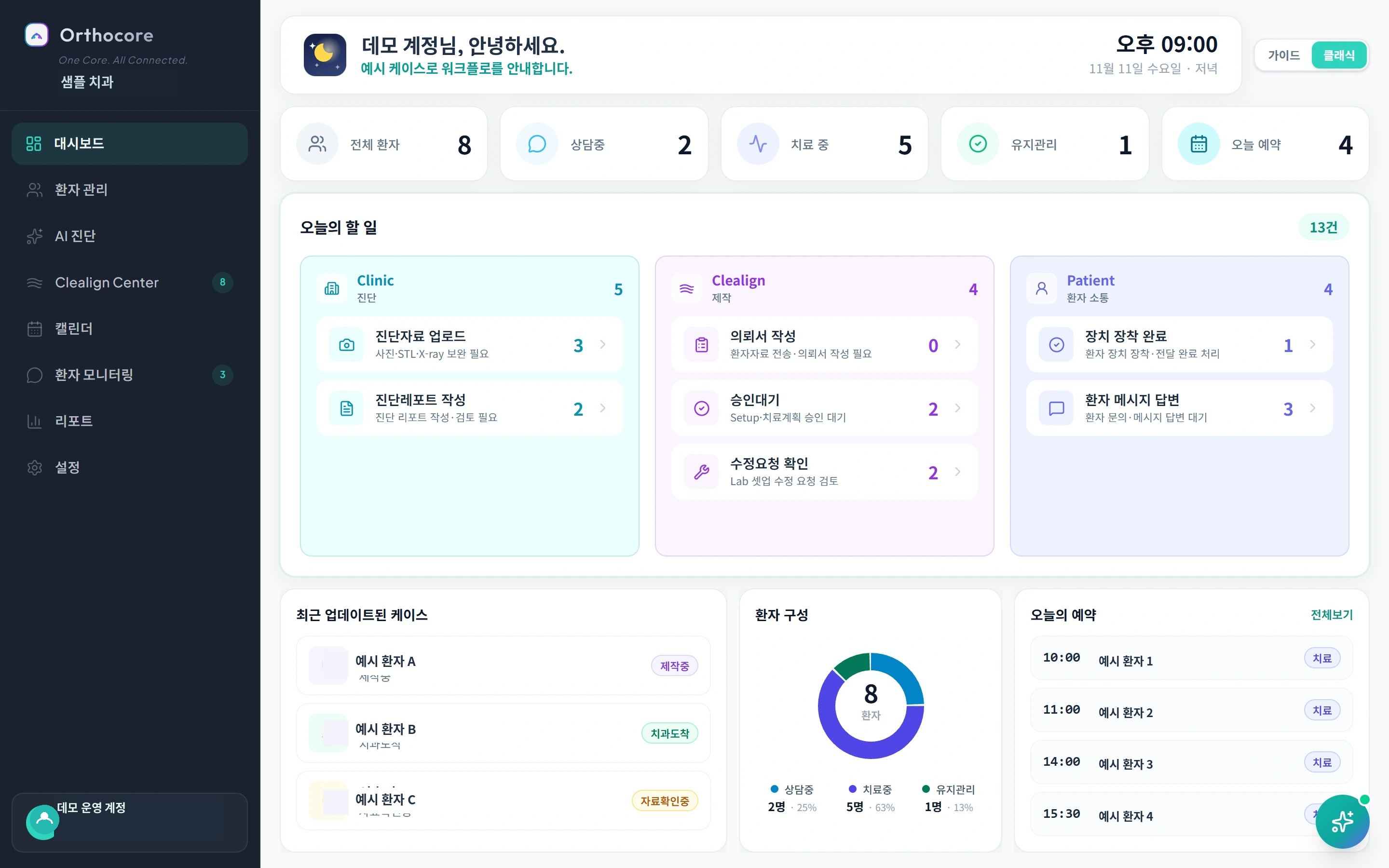 Orthocore Clinic · Dashboard screen
02 · CONNECTED LAB WORKFLOW
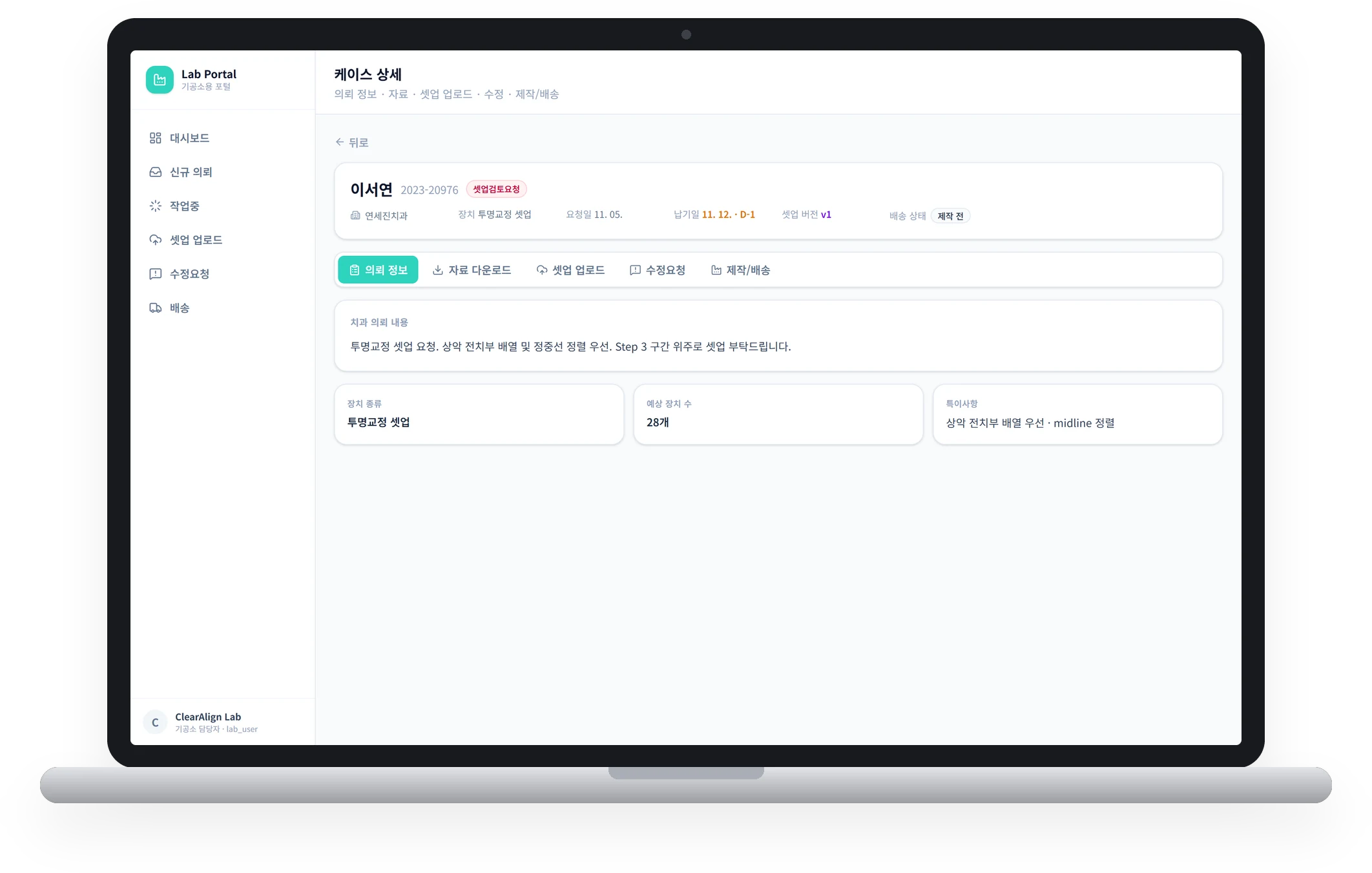
Lab Center
The clinic's order records and the lab's digital setup, revision requests, approved design and production and delivery progress are connected case by case.
- Orders and record transfer by case
- v1 · v2 · v3 setup history
- Revision request · Approval · Production
03 · PATIENT CARE
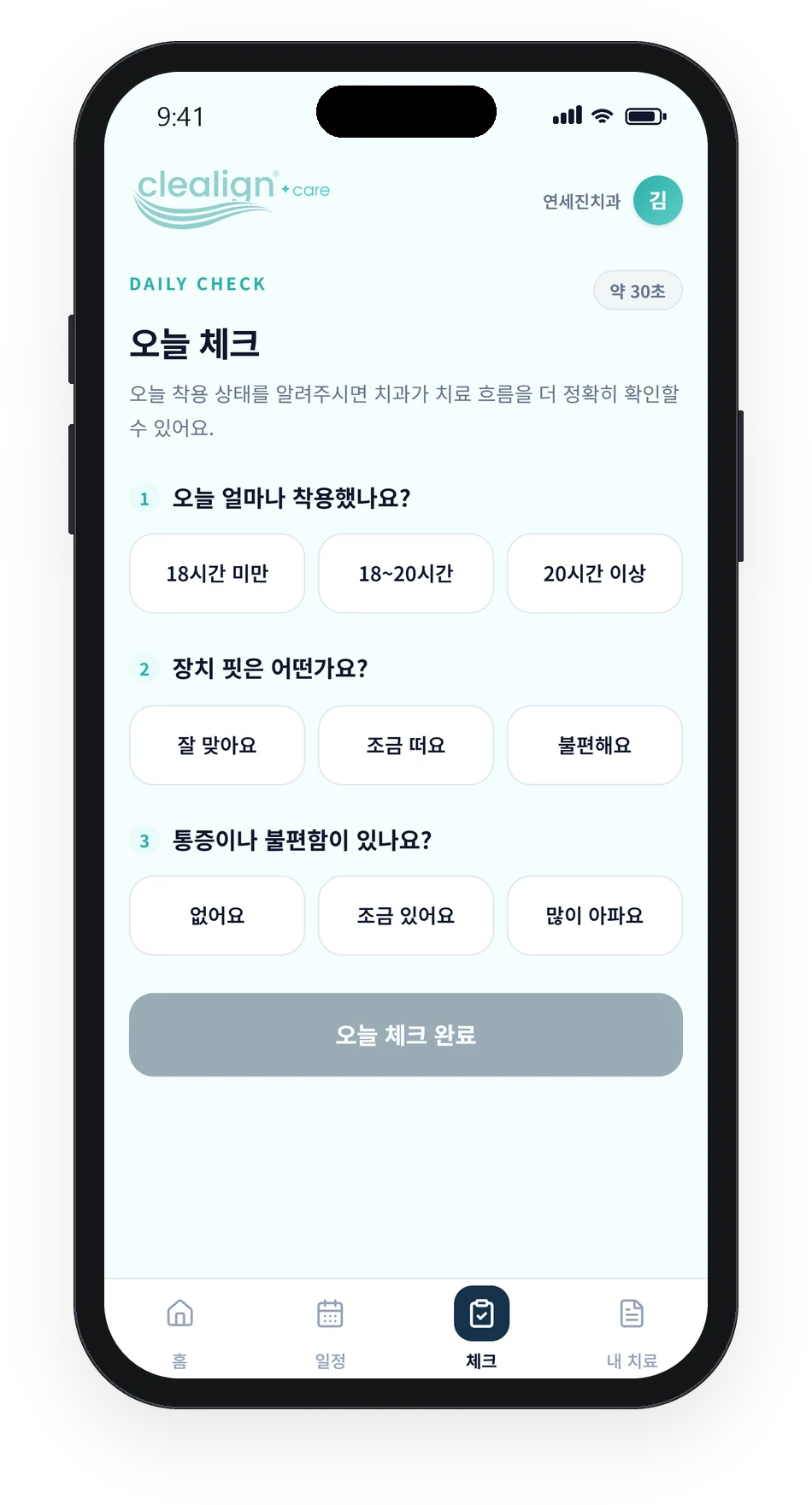
Clealign Care
Patients record aligner wear, discomfort and their treatment schedule, and the clinic provides the guidance needed based on the shared information.
- Wear time and aligner check
- Progress records and visit schedule
- Guidance and messages from the clinic
CONNECTED WORKFLOW
From file transfer to final approval,
work that continues inside the case.
Designed so that work that easily scatters across messengers and email is organized into each patient's progress flow.
01Upload recordsSTL · Photos · X-ray
02Lab orderRequest per case
03Setup ReviewReview by version
04Revise · ApproveFeedback and history
05Produce · DeliverTrack progress
DIGITAL SETUP REVIEWReview on screen,
Review on screen,
and keep the revision history.
A flow in which the clinic and the lab exchange feedback based on the same case setup.
View the guide for doctors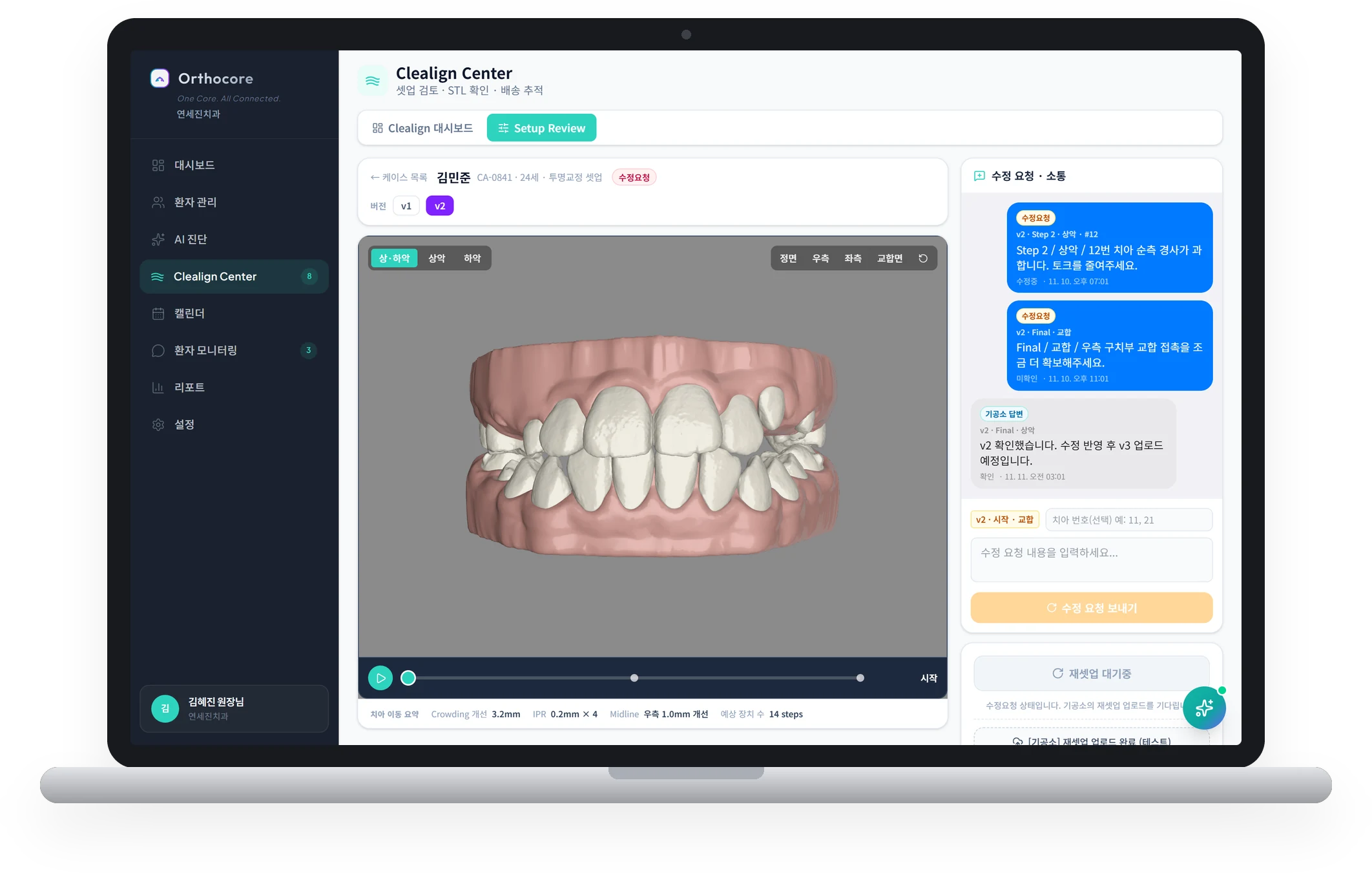
LOOKING AHEAD
Connecting data,
and expanding into AI-based assistive features.
Based on digital records and case history, we research and develop technology that improves clinical efficiency, such as diagnostic support, automatic classification and report writing.
Automatic classification, AI analysis and diagnostic support features include items still in development and validation. Please confirm the currently available menus and integration scope during an adoption consultation. Final diagnosis, prescription and approval rest with the treating clinician.Review, revision, approval and production status
Analysis and automation features in research and development
START WITH ORTHOCORE
Clinical decisions stay with the clinician;
complex operations go into one system.
From adopting Clealign aligners to checking the digital workflow, we will guide you through what you need.
※ Orthocore screens are demo materials for explaining the flow; the case and appointment information shown are examples. The actual scope of each feature is confirmed at adoption.